SIGBOX User Guide
SIGBOX
SIGBOX is a secure file sharing solution. We use this to share large files with external clients and providers where email is not practical. User accounts are temporary and will be removed after two months of inactivity.
Back to topHow to set up an account
When a file is shared with you and you do not have an account you will receive an email notification. The email will be from “dva-sigbox@secureintellicentre.net.au” and will tell you to activate your account by setting a password:
- Within the email Select “View share”
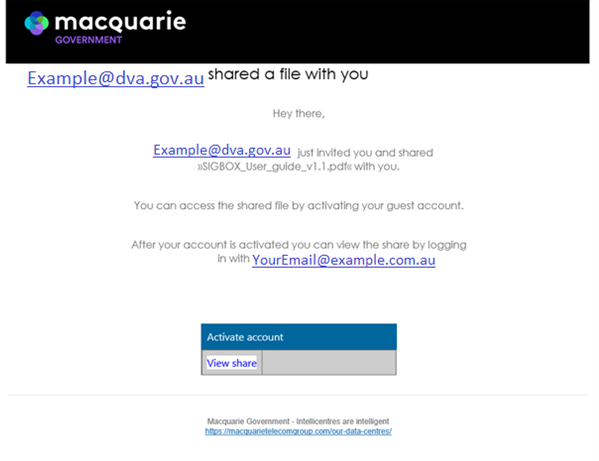
The Sigbox webpage will open, if you already have an account sign in with your username and password.
Back to topHow to set a password or reset your password
Select “Forgot Password”
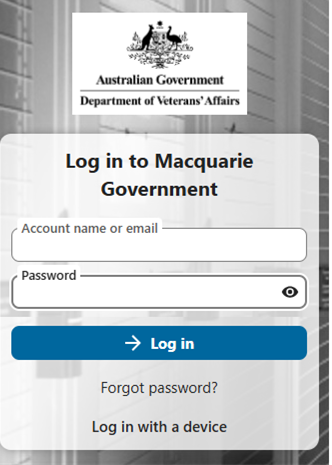
- Enter your email address
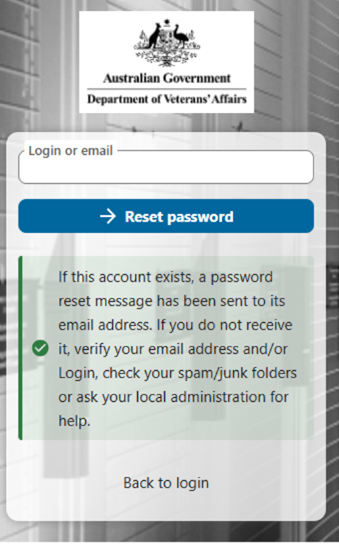
- Select “Reset password”
The following message will be displayed
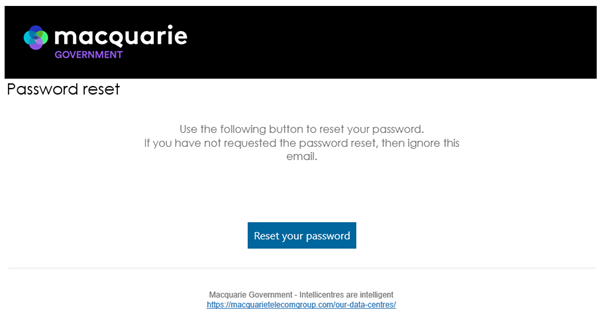
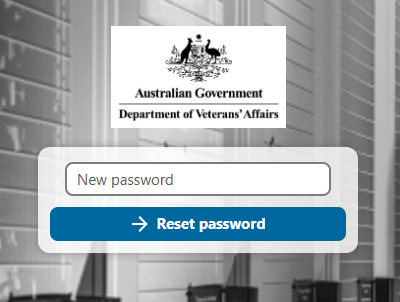
On receiving the password reset email
- Select “Reset your password”
The Sigbox webpage will open to allow you to enter a password
- Enter a new password, for security ensure it contains:
- Upper case letters
- Lower case letters
- Numbers
- Special characters
- Select “Reset Password”
How to sign in
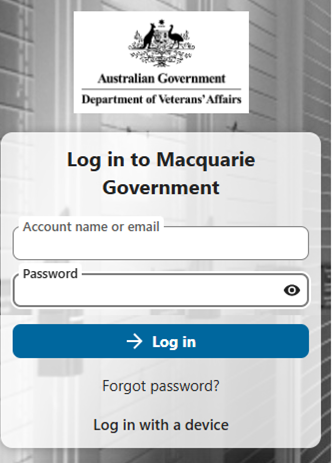
The Sigbox webpage will open the login prompt
- Enter your username and password
- Select “Log in”
How to open a file
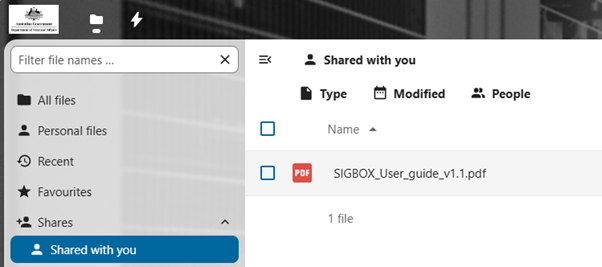
The Sigbox landing page will open, to view your shared content:
- Select ‘Shared with you’
- Select the name of the document to open it
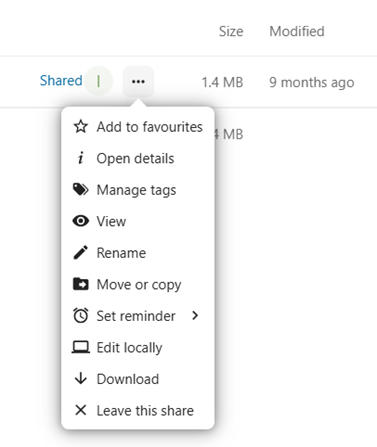
To download the document
- Select “…” at the end of the document row
- Select “Download”
- Choose a save location
Back to top
How long will my SIGBOX account remain active?
SIGBOX access is regularly monitored and where accounts remain inactive for a period of 2 months they will be deleted. It is strongly recommended not to use the account as a file repository due to this reason.
Back to topCan I reinstate my SIGBOX account?
No, you must register for a new SIGBOX account by following the instructions above.
Back to topWho to contact if I have a problem
If you were expecting an invitation email from a DVA staff member which has not arrived, or you are unable to locate the file(s) within Sigbox, please contact the staff member or business area direct.
For other issues – please contact secure.services@dva.gov.au.
Do not provide your password to them, they will not ask you for your password.
Back to top